Wisdom in mind,   enthusiasm at heart.

Home Products Warranty Shop Contact Us Shipment Chinese


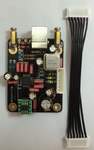
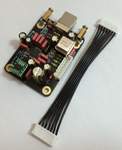
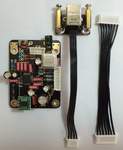
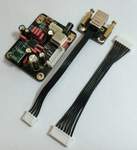
USB-32 is based on the VT1731 chip, the one best USB interface chip in world , support up to 32Bit / 384KHz.

PC drivers download:

 1, For the products shipping since 1st Jan. to 13th May. 2013 and shipping before Nov. 2012 . (The DI-V3 must install V1.22 driver)

Download the USB-32 driver V1.22 

2, For the products shipping since 14th May. 2013 .
Download the USB32 V2.0 driver 

Download the USB32 V2.0 driver install guide

3, Download the Firmware update tool:
(For the products applied USB32 and shipping before 14th May. 2013 update the firmware #7 for working with the V2.0 driver.  Update is under Windows , the folder include the update guide . Update firmware have risk, please consider the risk . )
( The products shipping after 14th. May. 2013 have not necessary download this tool )

Download the firmware update tool

Windows XP, Vista , WIN 7  (32bit and 64bit) must install driver for USB connect .
The driver must unzip by RAR . Before install the driver , users must connect to the computer USB port and power on  the unit  , after install the driver , restart the computer is necessary  .

Mac OSX , Linux (MMX)  and SPDIF inputs without driver install necessary .


FYI :  
Recommend player in Windows :  Foobar2000 V1.15  with plugs foo_out_ks  & foo_out_wasapi

VT1731 specs :
        http://www.via.com.tw/en/products/audio/usb/vt1731/index.jsp
           The VIA Envy VT1731 is a 2-channel, 32-bit/384KHz audio controller specifically designed to achieve cinema-quality audio recording and playback in high fidelity USB and MIDI system applications. With the advancement to 32-bit, 384 kHz support more points along the sound wave are recorded and saved, creating the most authentic listening experience when it is converted into analog sound during playback. The VT1731 brings highest audio quality to the prosumer which does not demand a full surround setup.

           The highly integrated single chip USB audio solution is embedded with a number of crucial modules, including a standard 8032 MCU core, USB Transceiver, two I2C master and one slave controller, an I2S controller, a serial flash controller, an SPI port, phase-locked loop (PLLs) with internal oscillator, and a 3.3 V~ 2.0 V regulator.

           The VT1731 also supports multi-channel PCM digital audio format up to 32-bit resolution and 384 kHz sample rate as well as multiple audio bit streams of up to 2 Input Streams and 2 Output Streams. Additionally, the I2S interface of the VT1731 is capable of supporting various customized configurations. An S/PDIF interface with one stereo output port and one stereo input port also supports up to a 24-bit resolution and 192 kHz sample rate.


Feature Highlights
USB Interface
           USB 2.0 High-Speed (480 Mbps) Device Compliant
           USB 2.0 Full-Speed (12 Mbps) Device Compliant
           USB 2.0 High-Speed PHY Integrated
           USB Audio Class v1.0/ v2.0 Device Compliant
           USB Device Firmware Upgrade v1.1 Compliant
           High Resolution, Multi-Channel PCM Audio Bit Streams
           Up to 32-bit, 384kHz sample rate
           Up to 2 Input Streams and 2 Output Streams
I2S Audio Interface
           2 I2S Input
           2 I2S Output
           Mono/ 2-Ch
           16/20/24-bit/32-bit
            32 / 44.1 / 48 / 88.2 / 96 / 176.4 / 192 /  352 / 384 kHz
S/PDIF Interface
           1 Stereo SPDIF Output
           1 Stereo SPDIF Input
           Mono / 2-Ch
          16 / 20 / 24-bit
          SPIDIF In: 32 / 44.1 / 48 / 88.2 / 96 kHz
          SPIDIF Out: 44.1 / 48 / 88.2 / 96 / 192 kHz
          Blu-ray Disc™ Audio Content Protection
          32-bit/192kHz audio output delivering cinema-level audio experience
          MIDI Interface
           One Dedicated MPU-401 Compatible UART, with Micro-controller Interface Support


USB-32

USB Audio Class V2.0 and V1.0
USB Audio Class 2 High-speed Input from Windows / MAC / Linux
Supports High / full speed Asynchronous Transfer Mode up to 384K / 32Bit ability .
Resolutions support 16 / 24 / 32 Bit with sampling rate support 44.1kHz, 48kHz, 88.2kHz, 96kHz, 176.4kHz, 192kHz, 352kHz,384kHz
Ultra low jitter , 15X times less than TE7022 .


How to replace the firmware:
 

          The firmware chips have two packages , one is green ,another is black . The two photos show the direction sign on the firmware chip , the direction sign is forward the USB chip . ( Please note the replacement can't make wrong direction , otherwise maybe shatter the firmware or the gear .)


Driver V1.22 Install guide:
1, Download the “AudiogdUSB32ASIOv1.22forwin1220 “ , Mac OSX , Linux and SPDIF inputs without driver install necessary .
   
Download the USB-32 driver V1.22 
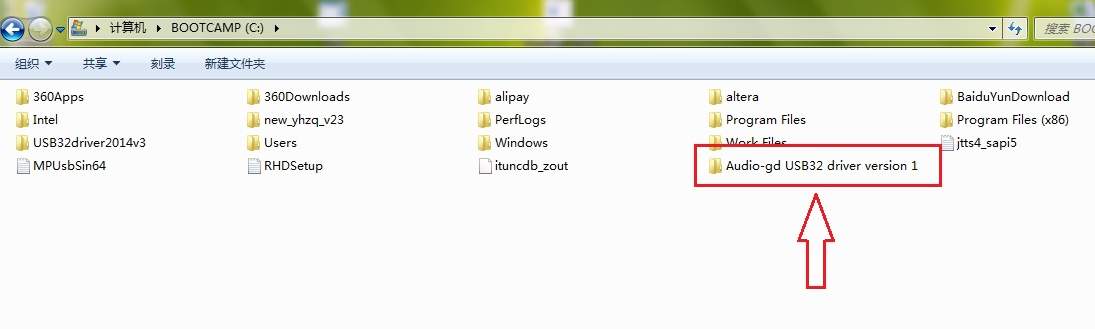
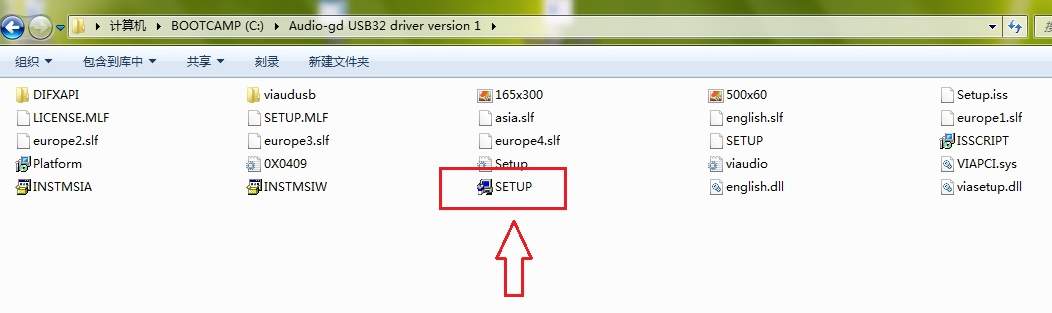
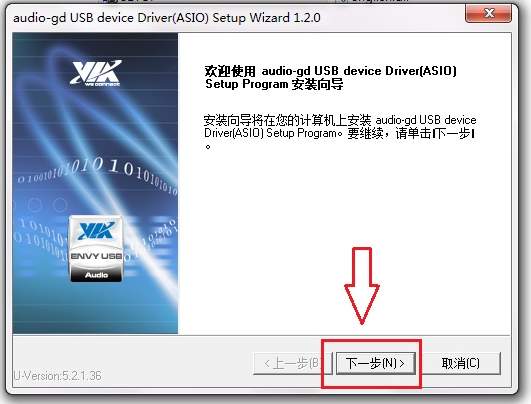
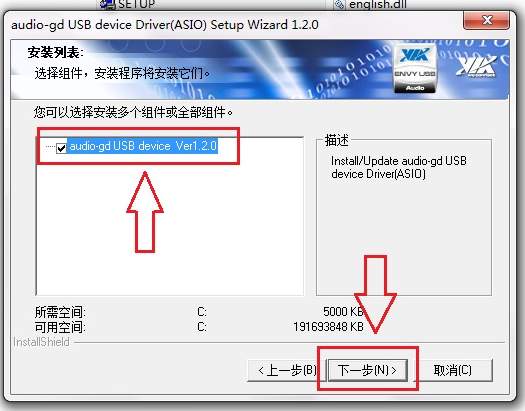
    Unzip the driver to  the  Driver (C:), Click the iron "SETUP" in the  “AudiogdUSB32ASIOv1.22forwin1220”  folder .
    Before install the driver, the computer must connect the USB device , the USB device must power on after the Windows have start .
    Waiting few minutes , if had new window appear and want users choice, please click " Yes" ( agree) .

Please Note :
A:    After install, the unzip    “AudiogdUSB32ASIOv1.22forwin1220”  folder can’t delete or rename .
B:    For less disturb from the computer , audio-gd USB device design is slight different, the USB device  must power on after the computer had start . If the computer have restart, the USB device also want to restart .
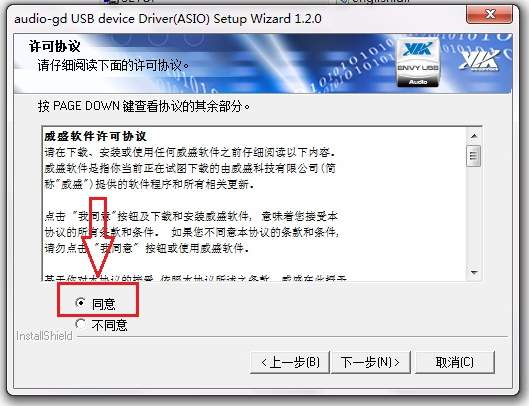
C, During install ,there is an option want to select.


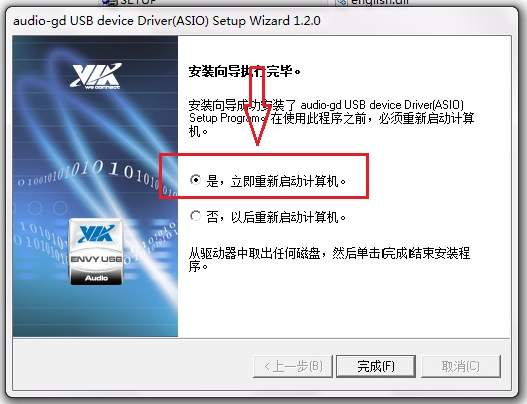
2,After install the driver, power off the USB device and restart the computer is necessary .

3, Install ASIO 4 ALL. (Depend on users if need)

4, Copy all  “ *.dll “ files in the “AudiogdUSB32ASIOv1.22forwin1220 " -> "Plugs“ folder to Foobar 2000 “components” folder .

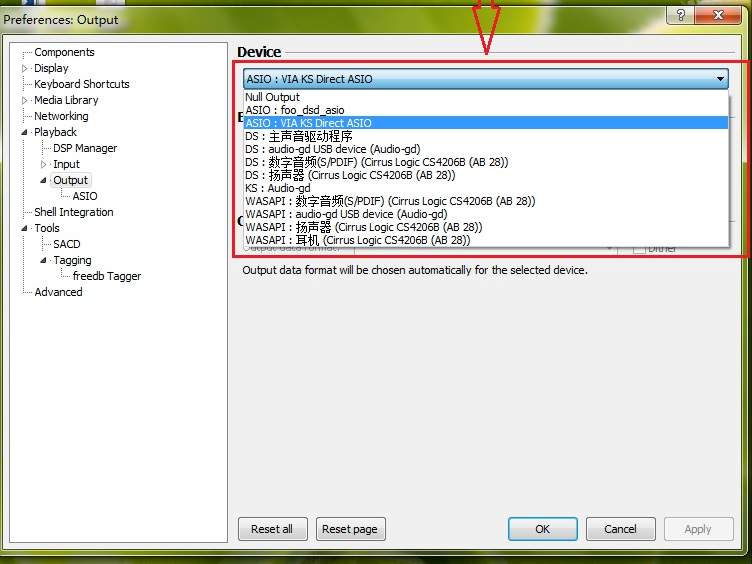
5, Select the ASIO plug in foobar 2000. Click "Add New", select "VIA DirectKS ASIO" , click " OK" .

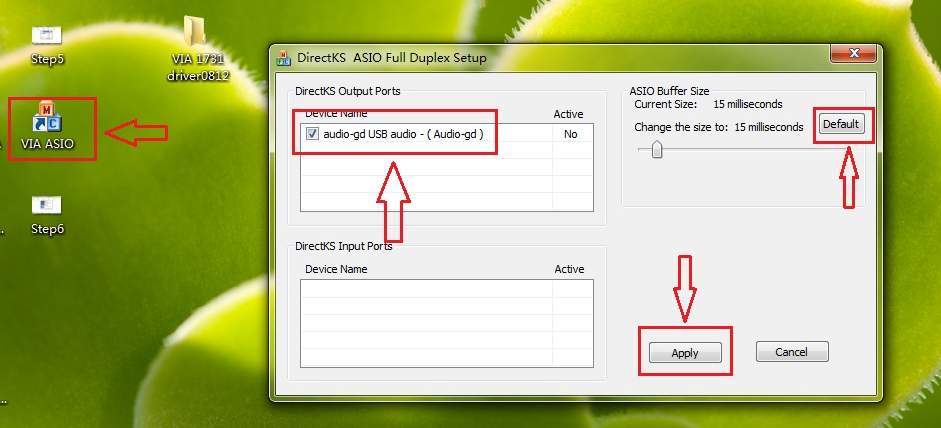
7, If the sound have drop off with ASIO output model , increase the ASIO buffer size then click “ Apply” ,restart the Foobar2000 .
Please note :
A, The ASIO is direct sound output , so its performance depend on the computer performance
, if the computer is too old, select "KS" output model is better  .
B, If the sound have drop off during the computer busy , please increase the ASIO buffer . We test with some lot different computer, the ASIO buffer size setting at 2048 samples is no problems even with 4 years old computer .
C, Old version Foobar 2000 maybe can’t working well with ASIO, we advice applied the version newer than V1.15 .
D, We recommend select "KS" or "ASIO" output model than "DS" and "WASPI" model .
E, Most users can applied ASIO without problems .Few users feedback the ASIO can't working with their old computer but after reinstall the Windows can fix the problems, then consider the Windows have miss some files during long term operate. We can't warranty anyone can succeed install the ASIO in their computer.
F, The Anti-virus software may delete the ASIO files cause the ASIO panel can't working proper . Users can addition the VIA ASIO in the accredit list in the Anti-virus software .
G, ASIO output option unavailable in SPDIF output device (DI-V3 SPDIF output ) .


29th Dec. ,  Robert from Germany:

             I'm glad that your NFB27s are fine!
             I will surely come back to you with a new order sooner or later.

             By the way, I think your USB-32 implementation of the VIA Envy chip is the the best I have ever heard. No chance for M2tech, XMOS etc.

 
17th Jan.  , An user from Japan:

Some initial results of my experiments:

              I used the M7 and Calyx DAC (which uses 1 ES9018 in multi-channel dual-differential mode with NE5532 output opamps and is USB powered).

              Audiophilleo 1 to each DAC: M7 (input 3) sounds more "real". Calyx sounds a little less natural.
              DIV3 to each DAC: M7 (input 1 from DI coax out) sounds the same as the Calyx (from DI RCA out). The sound is very good.
              Direct USB input to each DAC: M7 sounds MUCH better than the Calyx USB input, which uses an XMOS chip. The Calyx sounds less detailed and boring and unnatural.

Best sound (all about equal):
              M7 USB32,
              DI V3 to either DAC,
              Audiophilleo to M7.


备案序号:粤ICP备05020367号

版权所有:          何庆华  睿志音响

Copyright(C) 2004   www.audio-gd.com    All Rights Reserved